


Smart Office UC Headset Solution
-
 Application Learning Watch time - 4:3The purpose of video is to demonstrate functions of NuMaker-RTU-NUC980 within 5 minutes, including Ethernet webserver, Wi-Fi webserver, USB camera, and NFS function. If you get the NuMaker-RTU-NUC980 board, you can follow this video to implement all the functions #application #learning #intermediate #en - For more information, please visit: https://bit.ly/3hVdcmC Buy now: https://direct.nuvoton.com/tw/numaker-rtu-nuc980?search_query=Chili&results=1 Contact us: SalesSupport@nuvoton.com
 -
 Application Learning Watch time - 1:30Nuvoton provides a new development platform, Chili. Chili is designed by NUC980 family. A user can begin application developing within 15 minutes once receiving this PCB. This PCB is very small and can be easily installed into another system after development complete. It is suitable for some remote control or IoT applications. #application #learning #intermediate #en - For more information, please visit Nuvoton Technology Website: https://bit.ly/3hVdcmC Buy now: https://direct.nuvoton.com/tw/numaker-rtu-nuc980?search_query=Chili&results=1 Contact us: SalesSupport@nuvoton.com
 -
 Watch time - 3:29本短片介紹了可符合 AMI 2.0 國際標準的智慧電錶設計。該設計即將在一大型電力公司所服務的供電區域進行大規模部署。同時也透過手機APP演示了遠程線上自動讀錶的功能。 - 更多產品資訊,請至新唐科技網站 https://bit.ly/3hVdcmC 購買管道:https://direct.nuvoton.com/tw/ 聯絡我們: SalesSupport@nuvoton.com
 -
 Application Learning Watch time - 4:54The NDA102 DALI digital lighting control solution is based on Digital Addressable Lighting Interface (DALI) technology developed by Digital illumination interface alliance (DiiA). This solution includes DALI protocol libraries from Nuvoton and have been tested. Nuvoton is a DiiA associate member and has successful experiences for DALI product certification. #Application #Learning #Basic #en - For more information, please visit Nuvoton Technology Website: https://bit.ly/3hVdcmC buy now: https://direct.nuvoton.com/tw/ contact us: SalesSupport@nuvoton.com
 -
 Application Learning Watch time - 3:16This short video clip introduces a real smart meter design in starting volume deployment in South Korea. A real meter machine and mobile phone APP show the auto meter reading online. #Application #Learning #Basic #en - For more information, please visit Nuvoton Technology Website: https://bit.ly/3hVdcmC buy now: https://direct.nuvoton.com/tw/ contact us: SalesSupport@nuvoton.com
 -
 Product Learning Watch time - 3:37An introduction for NUC980 gateway application. #Product #Learning #Basic #en - For more information, please visit Nuvoton Technology Website: https://bit.ly/3hVdcmC buy now: https://direct.nuvoton.com/tw/numaker-nuc980-iiot contact us: SalesSupport@nuvoton.com
 -
 Product Learning Watch time - 15:55Nuvoton has provided all kinds of size panels from 3.5 to 7 inches that support i80 mode and RGB interface to show GUI. N9H series supports hardware 2D Graphics Accelerator and MJPEG codec to process images. To meet customers HMI needs, Nuvoton has already prepared low-end to high-end products including M0, M4, and Arm9 series. #Product #Learning #Basic #en - For more information, please visit Nuvoton Technology Website: https://bit.ly/3hVdcmC buy now: https://direct.nuvoton.com/tw/numaker-emwin-n9h30 contact us: SalesSupport@nuvoton.com 0:00 簡介 1:32 Nuvoton HMI Solutions 3:04 Nuvoton HMI Development Systems 4:40 emWin Supported HMI Solution 5:29 Nuvoton Homemade Free GUI Templates 5:55 HMI Successful Story 7:15 Nuvoton MCU Feature for GUI 7:58 NuMicro N9H Series 9:26 NuMicro M480 Series 10:26 What is HMI and emWin Library 11:01 Windows Tools 12:34 Use GUIBuilder to easily create GUI 13:32 em Win sample code path in Nuvoton BSP 13:54 How to build the project • Both of the BSP and hardware are right, the display should 14:10 Nuvoton Forum 14:57 Supported LCD driver IC List (the popular ones)
 -
 Watch time - 9:40以新唐 NuMaker NUC980 IIoT 為平台,使用 Linux 進行開發,學習開發各式功能,觀看本片,您將學會在 NuMaker NUC980 IIoT上使用 Ethernet 連接到 AWS IoT 服務。 大家好我是新唐工程師 Miya,今天要為各位介紹,如何使用 NuMaker NUC980 IIoT 開發平台連接 Amazon 的物聯網,以下簡稱 AWS 連結網址 https://aws.amazon.com/ ,登入 AWS 帳號 點擊右上角的 “Sign In to the Console”,進入帳號登入頁面 輸入您的帳號密碼,點擊 “Sign In” 進行登入 登入之後,進到 “AWS 管理控制台” 頁面 在搜尋欄位,輸入 “IoT Core”,會出現 IoT Core 連結,點擊進入 在左邊的欄位選擇 “入門” 頁面 在 “設定裝置” 點擊 “開始使用” ,開始設置 IoT 裝置 選擇連接 AWS IoT連線方式。platform 請選擇 Linux, SDK 請選擇 Python。 點擊 “下一步” 進到下一個頁面。 接下來開始註冊一個 IoT Thing,有三個步驟。 首先命名 IoT Thing,接著按下一步。 這個連線套件不會用到,按取消之後跳到下一步。 接下來2個頁面直接按 “完成” “完成”。 系統會跳回到管理頁面。 點擊左側選單 “管理” “實物”。可以看到剛剛建立的 my-IoT 出現在 IoT Thing 裡面了。 接下來要對這個新建立的 Thing 做一些設定,直接點擊新建立的 Thing-my-IoT,進入管理頁面。 在左側選單,選擇 “互動” 。 在互動頁面裡可以看到 Thing 的 HTTPS 連結。 複製此 HTTPS,用戶端應用程序需要知道這個連結,才能夠連接到這個 IoT Thing。 接下來下載安全憑證,請在頁面左側選單,點擊 “安全”,進入憑證頁面。 然後點擊 “建立憑證”。 憑證建立完成會產生三個檔案,分別是憑證、公鑰及私鑰。分別點擊 “下載”以下載這三個檔案,NuMaker NUC980 IIoT 開發平台用戶端進行 AWS IoT 連線的時候會用到。 下載完成之後,點擊 “啟用”,使這個安全憑證生效。 接著還需要下載 AWS IoT 的根憑證,點擊 “CA 下載” 連結,以開啟另一個瀏覽頁面。 點 CA Certificates for Service Authentication 連結,系統會跳到 AWS IoT root CA 的下載頁面。 請選擇第一個根憑證,RSA 2048 bit key,按滑鼠右鍵,另存連結,存到檔案 “AmazonRootCA1.pem”。 下載完成之後,回到剛剛的頁面。 接下來,點擊 “連接政策”,進行 policy 設定。 點擊 “建立新政策”以建立一個新的 policy。 先輸入 policy 名稱。 選擇 “進階模式”,直接編輯 policy 內容。 在Effect 敘述輸入 Allow,允許操作。 在 Action 敘述輸入 “I:*”,接受所有的 IoT 命令。 在 Resource 敘述輸入 “*”, 允許取用 resource。 按 “建立” 建立新的 Policy。 在左側選單,重新點擊 “管理”→ “實物”,選擇 my-IoT thing,回到 my-IoT 頁面。 再次點擊 “安全”,然後選擇剛才建立的憑證。 在憑證頁面左側的選單選擇 “政策”。目前 Policies 還是空的。 打開右上角的 “動作”下拉選單,選擇 “連接政策”。 在 Policy 列表裡面,會出現剛才新建立的 Policy。打勾選取,然後按 “連接 “,完成 policy 的附加。 這時候 Policies 頁面就會出現我們所選擇的 Policy 了。到這邊已經建立好了雲端的 IoT Thing。接下來,要在 NuMaker NUC980 IoT 板上建立用戶端 IoT 應用。 請連接網址 tls.mbed.org/download 以下載 mbedTLS library。 點擊連結 mbed TLS 2.16.3(Apache) 進行下載儲存。 接下來要將把下載的 mbedTLS library 複製到 NUC980 Linux 開發環境下;先解壓 mbedTLS library後,用 git 下載 AWS 的 SDK。 git clone https://github.com/aws/aws-iot-device-sdk-embedded-C 下載完成之後,先刪除他在 external lib 目錄下的 mbedTLS 目錄,這是個空目錄。 將先前下載解壓後的 mbedTLS 目錄移動到 external lib 目錄下就可以直接編譯 AWS SDK 的範例了。 進到 AWS SDK 的 samples 目錄下的 Linux 目錄下可以看到 5 個 範例。要使用的範例是最底下這個 subscribe_publish_sample。 進到這個範例的目錄下。 有三個檔案,需要作一些修改。 首先修改 makefile,將 compiler linker 由 gcc,改為 NUC980 Linux toolchain 的 compiler linker。 51. 往底下找到 CRYPTO_LIB_DIR,修改路徑,將 crypto 刪除,這樣 makefile 就完成修改了。 (~00:25) 52. 接著是 header file,修改MQTT HOST 連結路徑,先前我們在 IoT thing 的 “互動” 頁面所複製 的 HTTPS 連結,將它貼到這裡。(~00:46) 53. CLIENT ID 請任意取一個名稱,不要與其他用戶端名稱重複即可。(~00:55) 54. MY THING NAME 要用前面建立的 IoT Thing 的名稱: my-IoT。(~01:02) 55. 底下的 ROOT CA file name,IoT Certificate file name,以及 IoT private key filename。 56. 前面在建立 IoT Thing 安全憑證過程中,有下載了 Root CA 及 IoT 安全憑證幾個檔案,請將 檔案名稱填寫到這裡。 最後是修改 點 C,系統會將範例程式執行檔放到 root file system 的 usr/bin 目錄下,並將憑證檔案放到 usr/certs 目錄下。 這裡請將憑證指定目錄改為 相對路徑的 ../certs。 接著打 make 直接進行編譯。 編譯需要幾分鐘的時間,影片跳過了編譯部分。 接下來,將編譯好的應用程序複製到 rootfs 的 /usr/bin 目錄下。 然後將根憑證及 IoT 安全憑證檔案複製到 rootfs 的 /usr/certs 目錄下。這裡已經事先複製好了。完成後到 BSP Linux 目錄下,編譯 kernel。 將 kernel 上傳到 IoT 開發板上面執行。 下 ifconfig + udhcpc 指令連接網絡。 由於憑證有時效性問題,需要修改系統時間,以免因為憑證過期導致無法連接。 進到 usr/bin 目錄下,執行 AWS用戶端範例程序。 可以看到用戶端已經成功連接 AWS 雲端。這個範例會不斷地發佈並且接收訊息。 - 更多產品資訊,請至新唐科技網站 https://bit.ly/3hVdcmC 購買管道:https://direct.nuvoton.com/tw/numaker-nuc980-iiot 聯絡我們: SalesSupport@nuvoton.com
 -
 Watch time - 4:50以新唐 NuMaker NUC980 IIoT 為平台,使用 Linux 進行開發,學習開發各式功能,觀看本片,您將學會在 NuMaker NUC980 IIoT 上使用 LTE 與 NB-IoT 連線。 哈囉大家好,我是新唐工程師阿群,今天為大家介紹如何在 NuMaker NUC980 IIoT 板子上如何使用 LTE 模組與 NB-IoT 模組。 首先我們先說明 LTE 模組的部分 NuMaker NUC980 IIoT 板子上的 USB port 位於右上角,請接上 LTE 模組才能上網。 在安裝 NUC980 開發環境 Buildroot 的過程中,我們下 “make nuvoton_nuc980_iot_defconfig” 產生 NUC980 IoT default configuration,當中 LTE 和 NB-IoT 模組相關的設定已經打開。 make 編譯 compile Buildroot 編譯完成後,透過 NuWriter 將 Linux kernel 下載到NuMaker NUC980 IIoT 板子上執行。Linux Kernel 開機完成後,設定 LTE 網路,輸入 “quectel-CM &”,下載檔案,輸入指令 ” wget -c http://http.speed.hinet.net/test_010m.zip ”, 可以看見檔案正在下載。 接下來我們說 NB-IoT 的部分,NuMaker NUC980 IIoT 板子上的 USB port 位於右上角,請接上 NB-IoT 模組才能上網。 需要拿到廠商附的軟體 linux-ppp-scriptsV1.2,根據linux-ppp-scripts裡面的文件說明將相關文件拷貝到 root file system 目錄中。 => unzip linux-ppp-scripts_V1.2.zip => cp linux-ppp-scriptsV1.2/linux-ppp-scriptes/* rootfs/etc/ppp/peers/ = > vim rootfs/etc/ppp/peers/quectel-chat-connect 修改 quectel-chat-connect 裡面 APN,此 APN 參數需要根據電信業者所提供第12行修改 APN 為“internet.iot” = > vim rootfs/etc/ppp/peers/quectel-ppp 修改 quectel-ppp 裡面的帳號密碼,帳號密碼需要根據電信業者所提供 第 6 行修改 user 和 password 為空白,然後重新 compile Linux Kernel。 編譯完成後,透過 NuWriter 將 Linux kernel 下載到 NuMaker NUC980 IIoT 板子上執行。 Linux Kernel 開機完成後, 設定 NB-IOT 網路 =>“pppd call quectel-ppp &” 設定 DNS =>“ echo "nameserver 8.8.8.8" > /etc/resolv.conf ” 下載檔案 =>”wget -c http://http.speed.hinet.net/test_010m.zip ” , 可以看見檔案正在下載。 以上是這次的 LTE 與 NB-IoT 使用教學影片。 - 更多產品資訊,請至新唐科技網站 https://bit.ly/3hVdcmC 購買管道:https://direct.nuvoton.com/tw/numaker-nuc980-iiot 聯絡我們: SalesSupport@nuvoton.com
 -
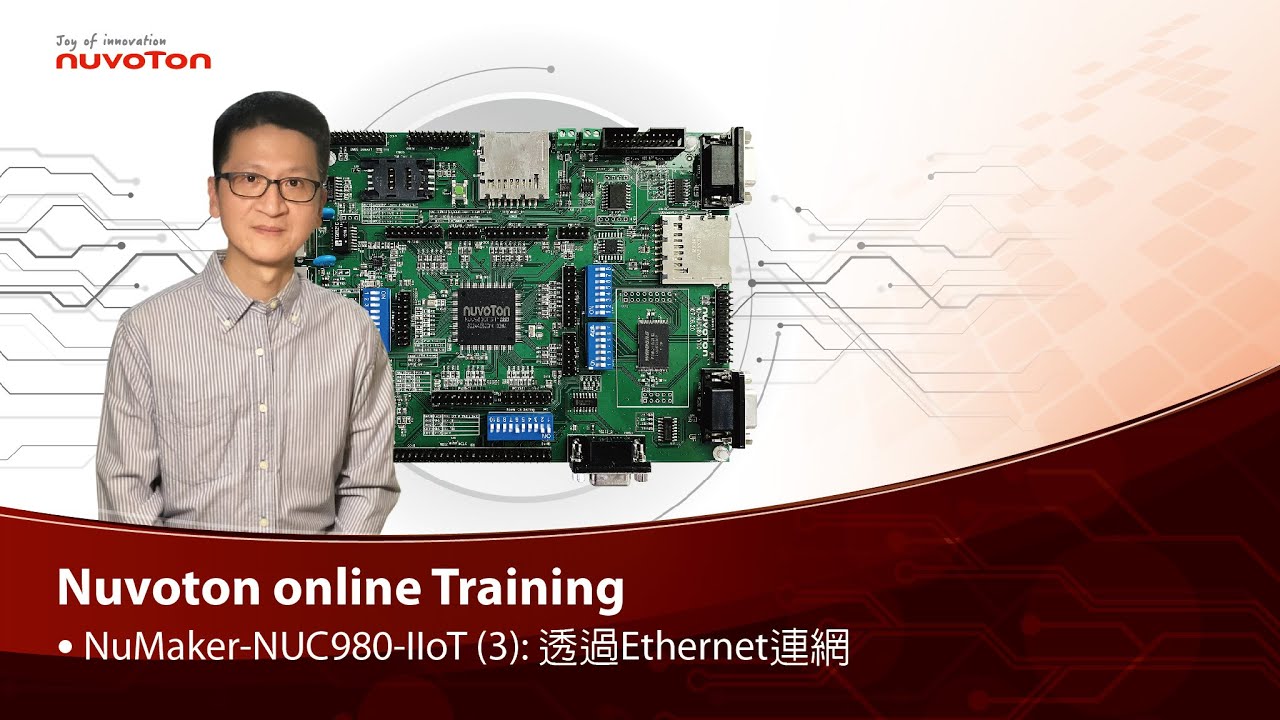 Watch time - 2:45以新唐 NuMaker NUC980 IIoT 為平台,使用 Linux 進行開發,學習開發各式功能。本片示範如何啟用乙太網路連接網際網路。 哈囉大家好,我是新唐工程師 Kevin,今天為大家介紹如何在 NuMaker NUC980 IIoT 板子上透過 Ethernet 連網。 NuMaker NUC980 IIoT 板子上的 Ethernet port 位於右上角,請記得接上網路線才能連網。 在安裝 NUC980開發環境 Buildroot 的過程中,我們下 “make nuvoton_nuc980_iot_defconfig” 產生 NUC980 IoT default configuration,當中 Ethernet 相關的設定已經打開。今天我們要使用一個網路應用程式,curl,在 NUC980 IoT default configuration 中,這個選項是關起來的,所以要透過 “make menuconfig” 打開。 進入選單後,選擇 “Target packages ”,”Libraries ”,” Networking ”,把 “libcurl”和 “curl binary” 這兩個選項打開。儲存設定後離開 menuconfig。 然後再下 make 重新 compile Buildroot。 透過 NuWriter 將 Linux kernel下載到NuMaker NUC980 IIoT 板子上執行 Linux Kernel 開機完成後,輸入 “udhcpc –i eth0” 向 DHCP server 要一個 IP address。 先測試網路的狀況,輸入 “ping google.com”,可以看到網路是通的。 接下來我們要透過剛才安裝的 curl 來下載檔案,我們輸入 “curl http://os.mbed.com”,就可以下載 mbed 首頁的 html。 - 更多產品資訊,請至新唐科技網站 https://bit.ly/3hVdcmC 購買管道:https://direct.nuvoton.com/tw/numaker-nuc980-iiot 聯絡我們: SalesSupport@nuvoton.com
 -
 Watch time - 3:31以新唐 NuMaker NUC980 IIoT 為平台,使用 Linux 進行開發,學習開發各式功能,觀看本片,您將學會如何控制 GPIO 使 LED 閃爍。 哈囉大家好,我是新唐工程師 Kevin,今天為大家介紹如何在 NuMaker NUC980 IIoT 板子上透過 GPIO 讓 LED 燈閃爍。 NuMaker NUC980 IIoT 板子的 Power-on Setting上方有 3 個 LED 燈,分別由不同的 GPIO 控制。最左邊,編號 LED03 的 LED 燈是由 GPIO B8 這根 pin 控制。今天示範如何用程式控制 GPIO B8 讓 LED 燈閃爍。 這是 LED 燈閃爍的程式,在看程式之前,我先為各位說明,在 Linux kernel 中,每一根 GPIO pin 都有編號。每一個 GPIO Group 占用 32個編號,編號為 0 到 31,分配給 GPIO Port A 這個 group,編號 32 到 63 分配給 GPIO Port B,以此類推。 LED03 這個 LED 燈是由 GPIO B8 這根 pin 控制,GPIO B8 在 Linux 中的編號是 40。 回到程式中,我們看到這個程式是透過 system function 執行系統命令,透過 Linux kernel 的 sysfs 控制 GPIO。 第 23 行 system("echo40 /sys/class/gpio/export"); 是將 GPIO B8 設定成可以用sysfs 控制。 第 24 行 system("echo out /sys/class/gpio/gpio40/direction"); 是將 GPIO B8 設定為 output。 接下來在 while loop 中,透過 system("echo 1/sys/class/gpio/gpio40/value"); 讓 GPIO B8 輸出 high;再透過 system("echo 0 /sys/class/gpio/gpio40/value"); 讓 GPIO B8 輸出 low,中間延遲 1 秒鐘,就可以做到 LED 燈閃爍的功能。 這個程式,main.c,儲存後,進行 compile 輸入 arm-linux-gcc main.c -o gpio_toggle (輸入 ls) 產生一個執行檔 gpio_toggle 將 gpio_toggle 拷貝到 root file system 目錄中, (輸入 sudo cp gpio_toggle ../rootfs) 然後重新 compile Linux Kernel 透過 NuWriter 將 Linux kernel 下載到NuMaker NUC980 IIoT 板子上執行 Linux Kernel 開機完成後,輸入 ./gpio_toggle,執行閃爍 LED 的程式。 此時可以看到 NuMaker NUC980 IIoT 板子上的 LED 正在閃爍。 - 更多產品資訊,請至新唐科技網站 https://bit.ly/3hVdcmC 購買管道:https://direct.nuvoton.com/tw/numaker-nuc980-iiot 聯絡我們: SalesSupport@nuvoton.com
 -
 Watch time - 4:59Secure Smart Metering Communication Reference Design Hi everybody, today we are going to introduce a reference design of Smart-Metering communication card based on NuMicro M2351 Series microcontroller. You can find useful security features based on the Arm Cortex-M23 CPU core with Nuvoton’s in-house technology integration. The auto-metering is an infrastructure for automatic, remotely, wire or wireless meter data reading. It’s highly possible to be intervened if there is no security mechanism. That is a very typical IoT security issue in the IoT era. In many countries, there are a lot of Auto-Metering Infrastructure (AMI) projects being undertaken by main electricity power companies worldwide. Most projects start from upgrading the communication modem cards as the first step rather than retiring the meters. The modem card can play as a gateway to monitor the incorrect device operation and data transmission security. Issues of modem card security are covering: First, a limited performance due to crypto computation efficiency Second, speed limitation due to interface choice The third, cost burden due to extra hardware modules for different communication protocols Nuvoton’s reference design of Secure Smart Meter Communication is an end-to-end security solution for AMI. With the collaboration with SPI-Korea, the solution incorporates a lot of advantages such as TrustZone security for firmware, a range of interfaces for device communication, secure over-the-air firmware update, and remote management. With the complete hardware specification of M2351, a security software company, SPI-Korea, can easily implement their secure AMI solution for modem card which connects meters and cloud servers. M2351 also contributes the crypto acceleration during the cryptographic computing in order to save CPU time for different communication protocol modules by its powerful hardware functionalities during message transmission outside of a microcontroller unit. SPI-Korea has developed a range of Armv8-M TrustZone based technologies. Her expertise covers Boot Manager, Key Manager, and Device Manager, which is very useful for microcontroller security and certainly shows the stability of a microcontroller device. Also, they are certified by Korea Electricity Company. We hope this successful experience can be further adopted in other areas worldwide because it’s a secure, accurate and environmentally safe solution for AMI. This slide is a picture for SPI-Korea AMI modem card design. NuMicro Family microcontrollers can be utilized for designs of auto-metering infrastructure devices. We start from AMI modem card and we are confident to support meters of any next-generation of AMI. We now integrate M23-based microcontroller with M4-based or Arm9-based microcontroller as a proposal for next-generation modem card of Korea AMI and we hope to provide high-performing cost-effective solution for all AMI devices in the future. - For more information, please visit Nuvoton Technology Website: https://bit.ly/3hVdcmC contact us: SalesSupport@nuvoton.com