
Search
Search Results
SearchRF-GaN PA ,
find 54 items
- Sort by
- Most recent
- Popularity

Training
Tool
Learning
Watch time - 3:51
Hello everyone, I am the principal engineer of Nuvoton Technology, Morgan. Today, I will show you how to use Mbed OS on the NuMaker-IoT-M487 development board to control LED and buttons.
First, open Chrome browser, enter the URL https://ide.mbed.com.
Please make sure that NuMaker-IoT-M487 board already selected in the upper right corner after you log in. If not, please refer Nuvoton IoT Tutorial series “Get Started with Mbed OS” which has a detailed description of how to add a board.
Then click the “New” on the upper left, a “Create new program” window will be displayed. You can see that the Platform has been set to NuMaker-IoT-M487. In the Template field, select the "NuMaker GPIO Interrupt with Debounce Setting" for this tutorial. Then click OK.
Now you can see that the sample code has loaded on the page. Click on “main.cpp”, this sample code uses SW2 button for demonstration. Click on “Compile” to build it.
It is in compiling, please wait a moment.
Then you can see a lot of messages at the bottom of the page. The last message is “Success!”
The browser will download the binary firmware file directly after a successful compiling. It will be saved in a default download folder or the folder based on your browser setting. In Chrome, you can click download file and select “Show in folder”.
Then we have to connect the NuMaker-IoT-M487 USB port to your computer and make sure the onboard LED lights up.
Let’s head back to the download folder where you can see the binary firmware file (NuMaker-mbed-GPIO-Interrupt.NUMAKER_IOT_M487.bin). Drag and drop the file to NuMicro MCU drive.
You will see the copying progress dialog box.
Next step is to press the SW2 button on the board to toggle LED. You can see the reaction of each press.
That’s all for this tutorial. Thank you for watching. Welcome to subscribe to our channel. If you want to know more information, please contact us at SalesSupport@nuvoton.com
-
For more information, please visit Nuvoton Technology Website: https://bit.ly/3hVdcmC
Buy now: https://direct.nuvoton.com/tw/numaker-iot-m487
Contact us: SalesSupport@nuvoton.com
#Tool #Training #Learning #Intermediate #en

Training
Tool
Learning
Watch time - 8:57
Hello everyone, I am the principal engineer of Nuvoton Technology, Morgan. The development board we are using today is Nuvoton’s NuMaker-IoT-M487. It is powered by the NuMicro M487 microcontroller with Arm Cortex-M4 core, built-in RJ45 Ethernet, and Wi-Fi module allowing users to connect to clouds by wire or wirelessly. It supports several RTOS including Arm Mbed OS, Amazon FreeRTOS, and AliOS Things.
Today, I will show you how to use Mbed OS on the NuMaker-IoT-M487 development board.
First, open Chrome browser, enter the URL https://os.mbed.com to register an account if you don’t have one.
Move the mouse cursor to the human icon in the upper right corner then click “Log in or Sign up” or click “Sign up for free” directly.
Then click “Sign up”
Fill in your e-mail address and relevant information, and finally click Sign up. Check your mailbox to receive the certification letter and authorize it.
Then let’s log in to use the online compiler environment. Move to the human icon in the upper right corner, and then click “Log in or Sign up”. And enter your account and password. After a successful login, it will return to the first page and then click “Compiler” on the left side of the human icon. It will lead us to the online compiler web page.
The following demonstration is all operated on this page
Click “No device selected” in the upper right corner to add and select Nuvoton’s NuMaker-IoT-M487 development board.
It opens the “Select a Platform” page. We click the button, show “Add Board” with green “+”, in the lower-left corner.
Next, it shows the page, let us choose a board.
Scroll down to find NuMaker-IoT-M487, and click it. It opens the NuMaker-IoT-M487 board page (https://os.mbed.com/platforms/NUMAKER-IOT-M487/). Scroll down the page to find the button “+Add to your Mbed Compiler”, and click it.
Click “Compiler” on top of the page to return to the online compiler environment. If the “NuMaker-IoT-M487” small icon appears in the upper right corner, you can start to import a sample code. Otherwise, click “No device selected” again. At this time, you can see the NuMaker-IoT-M487 icon already in the “Select a Platform” dialog box, click the icon to select it and then click “Select Platform” in the upper right corner.
It returns to the online compiler page, and the “NuMaker-IoT-M487” icon shows in the top right corner. You can now start to import a sample code.
First, click “New” on the top left side, a small “Create new program” dialog box appears. The “Platform” selects “NuMaker-IoT-M487” automatically. In the “Template” field, please select “mbed OS Blinky HelloWorld” example code, click OK.
You can see the sample project has been loaded on the page, click “main.cpp” to show the source code. Let’s add a printf() function to print out a string in the main program.
Check if statements are correct, save it, and click “Compile” to build code.
Now it’s compiling, let’s wait for a moment.
And you can see a lot of messages at the bottom of the page. The last message is “Success!”
The browser will download the binary firmware file directly after a successful compiling. It will be saved in a default download folder or any folder based on your browser setting. In Chrome, you can click download file and select “Show in folder”.
Then we need to connect the NuMaker-IoT-M487 USB port to your computer and make sure the onboard LED lights up.
Let’s head back to the download folder where you can see the binary firmware file (mbed-os-example-blinky.NUMAKER_IOT_M487.bin). Drag and drop the file to NuMicro MCU drive.
You will see the copying progress dialog box. After the copy is completed, the firmware starts to execute. One LED on board starts blinking. To see the printout message, go on the following steps.
Please find the virtual COM port assigned for NuMaker-IoT-M487 in Device Manager. In the demonstration, the “Nu-Link Virtual Com Port” is COMx.
Then use your terminal tool of choice. Here we use Putty. Open the COMx port with 9600 baud rate, 8 bits, 1 stop bit, none parity, and no flow control settings.
You can see “Hello World!” printed in the terminal.
That’s all for this tutorial. Thank you for watching.
If you want to know more information, please contact us at SalesSupport@nuvoton.com
-
For more information, please visit Nuvoton Technology Website: https://bit.ly/3hVdcmC
Buy now: https://direct.nuvoton.com/tw/numaker-iot-m487
Contact us: SalesSupport@nuvoton.com
#Tool #Training #Learning #Intermediate #en

Application
Learning
Watch time - 3:49
A HMI and RTU industrial automation solution demo which is designed by Nuvoton’s partner. Nuvoton NUC970 series supports 2D Graphic and RGB 24-bit LCD display interface. With different LQFP package and DRAM embedded, NUC970 provides a solution platform for HMI products. NUC980 series does not have graphic engine, but supports up to 10 UARTs with DMA mode. Using DMA mode can reduce CPU loading and provides a better computing requirement. NUC980 series also supports different wireless modules. It is suitable for Industrial IoT applications.
#Application #Learning #Basic #en
-
For more information, please visit Nuvoton Technology Website: https://bit.ly/3hVdcmC
buy now: https://direct.nuvoton.com/tw/numaker-nuc980-iiot
contact us: SalesSupport@nuvoton.com

Product
Learning
Watch time - 15:55
Nuvoton has provided all kinds of size panels from 3.5 to 7 inches that support i80 mode and RGB interface to show GUI. N9H series supports hardware 2D Graphics Accelerator and MJPEG codec to process images. To meet customers HMI needs, Nuvoton has already prepared low-end to high-end products including M0, M4, and Arm9 series.
#Product #Learning #Basic #en
-
For more information, please visit Nuvoton Technology Website: https://bit.ly/3hVdcmC
buy now: https://direct.nuvoton.com/tw/numaker-emwin-n9h30
contact us: SalesSupport@nuvoton.com
0:00 簡介
1:32 Nuvoton HMI Solutions
3:04 Nuvoton HMI Development Systems
4:40 emWin Supported HMI Solution
5:29 Nuvoton Homemade Free GUI Templates
5:55 HMI Successful Story
7:15 Nuvoton MCU Feature for GUI
7:58 NuMicro N9H Series
9:26 NuMicro M480 Series
10:26 What is HMI and emWin Library
11:01 Windows Tools
12:34 Use GUIBuilder to easily create GUI
13:32 em Win sample code path in Nuvoton BSP
13:54 How to build the project • Both of the BSP and hardware are right, the display should
14:10 Nuvoton Forum
14:57 Supported LCD driver IC List (the popular ones)

Watch time - 4:50
以新唐 NuMaker NUC980 IIoT 為平台,使用 Linux 進行開發,學習開發各式功能,觀看本片,您將學會在 NuMaker NUC980 IIoT 上使用 LTE 與 NB-IoT 連線。
哈囉大家好,我是新唐工程師阿群,今天為大家介紹如何在 NuMaker NUC980 IIoT 板子上如何使用 LTE 模組與 NB-IoT 模組。
首先我們先說明 LTE 模組的部分 NuMaker NUC980 IIoT 板子上的 USB port 位於右上角,請接上 LTE 模組才能上網。
在安裝 NUC980 開發環境 Buildroot 的過程中,我們下 “make nuvoton_nuc980_iot_defconfig” 產生 NUC980 IoT default configuration,當中 LTE 和 NB-IoT 模組相關的設定已經打開。 make 編譯 compile Buildroot 編譯完成後,透過 NuWriter 將 Linux kernel 下載到NuMaker NUC980 IIoT 板子上執行。Linux Kernel 開機完成後,設定 LTE 網路,輸入 “quectel-CM &”,下載檔案,輸入指令 ” wget -c http://http.speed.hinet.net/test_010m.zip ”, 可以看見檔案正在下載。
接下來我們說 NB-IoT 的部分,NuMaker NUC980 IIoT 板子上的 USB port 位於右上角,請接上 NB-IoT 模組才能上網。
需要拿到廠商附的軟體 linux-ppp-scriptsV1.2,根據linux-ppp-scripts裡面的文件說明將相關文件拷貝到 root file system 目錄中。
=> unzip linux-ppp-scripts_V1.2.zip
=> cp linux-ppp-scriptsV1.2/linux-ppp-scriptes/* rootfs/etc/ppp/peers/
= > vim rootfs/etc/ppp/peers/quectel-chat-connect
修改 quectel-chat-connect 裡面 APN,此 APN 參數需要根據電信業者所提供第12行修改 APN 為“internet.iot”
= > vim rootfs/etc/ppp/peers/quectel-ppp
修改 quectel-ppp 裡面的帳號密碼,帳號密碼需要根據電信業者所提供
第 6 行修改 user 和 password 為空白,然後重新 compile Linux Kernel。
編譯完成後,透過 NuWriter 將 Linux kernel 下載到 NuMaker NUC980 IIoT 板子上執行。
Linux Kernel 開機完成後,
設定 NB-IOT 網路 =>“pppd call quectel-ppp &”
設定 DNS =>“ echo "nameserver 8.8.8.8" > /etc/resolv.conf ”
下載檔案 =>”wget -c http://http.speed.hinet.net/test_010m.zip ” , 可以看見檔案正在下載。
以上是這次的 LTE 與 NB-IoT 使用教學影片。
-
更多產品資訊,請至新唐科技網站 https://bit.ly/3hVdcmC
購買管道:https://direct.nuvoton.com/tw/numaker-nuc980-iiot
聯絡我們: SalesSupport@nuvoton.com
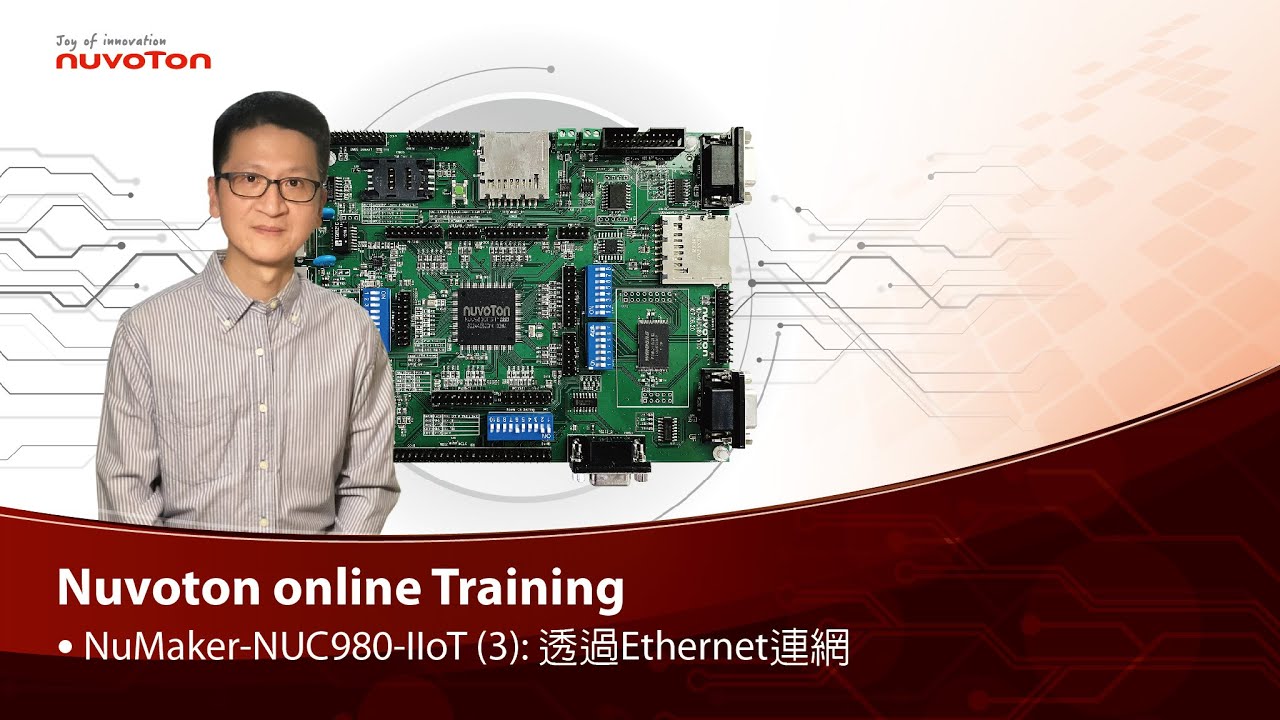
Watch time - 2:45
以新唐 NuMaker NUC980 IIoT 為平台,使用 Linux 進行開發,學習開發各式功能。本片示範如何啟用乙太網路連接網際網路。
哈囉大家好,我是新唐工程師 Kevin,今天為大家介紹如何在 NuMaker NUC980 IIoT 板子上透過 Ethernet 連網。
NuMaker NUC980 IIoT 板子上的 Ethernet port 位於右上角,請記得接上網路線才能連網。
在安裝 NUC980開發環境 Buildroot 的過程中,我們下 “make nuvoton_nuc980_iot_defconfig” 產生 NUC980 IoT default configuration,當中 Ethernet 相關的設定已經打開。今天我們要使用一個網路應用程式,curl,在 NUC980 IoT default configuration 中,這個選項是關起來的,所以要透過 “make menuconfig” 打開。
進入選單後,選擇 “Target packages ”,”Libraries ”,” Networking ”,把 “libcurl”和 “curl binary” 這兩個選項打開。儲存設定後離開 menuconfig。
然後再下 make 重新 compile Buildroot。
透過 NuWriter 將 Linux kernel下載到NuMaker NUC980 IIoT 板子上執行
Linux Kernel 開機完成後,輸入 “udhcpc –i eth0” 向 DHCP server 要一個 IP address。
先測試網路的狀況,輸入 “ping google.com”,可以看到網路是通的。
接下來我們要透過剛才安裝的 curl 來下載檔案,我們輸入 “curl http://os.mbed.com”,就可以下載 mbed 首頁的 html。
-
更多產品資訊,請至新唐科技網站 https://bit.ly/3hVdcmC
購買管道:https://direct.nuvoton.com/tw/numaker-nuc980-iiot
聯絡我們: SalesSupport@nuvoton.com

Watch time - 4:14
以新唐 NuMaker NUC980 IIoT 為平台,使用 Linux 進行開發,學習開發各式功能,觀看本片,您將學會安裝 NuMaker NUC980 IIoT 的開發環境。
哈囉大家好,我是新唐工程師 Kevin,今天為大家介紹如何安裝新唐 NuMaker NUC980 IIOT 開發環境,NuMaker NUC980 IIOT是以基於Linux 系統的Buildroot做為開發環境。
在安裝 Buildroot 之前,請先瀏覽這個網頁 https://buildroot.org/downloads/manual/manual.html#requirement
,這個頁面提到 Buildroot是基於 Linux 系統;安裝 Buildroot 需要一些 package,如果缺少package 或者版本太舊的話,安裝過程會出現錯誤。所以請先確認您的 Linux 系統是否有這些 package,以及 package版本是否太舊,然後再進行安裝。
接下來在 Linux Terminal 輸入 git clone https://github.com/OpenNuvoton/NUC970_Buildroot
就可以下載 NUC980開發環境 - Buildroot。
下載完成後,產生一個新的目錄 NUC970_Buildroot,目錄名稱叫做 NUC970_Buildroot ,新唐的 NUC980 和 NUC970 系列產品共用 Buildroot,目錄名稱則以NUC970 開頭。
透過 cd NUC970_Buildroot,切換到 NUC970_Buildroot 目錄中,準備進行Compile Buildroot。
Compile分為三個步驟:
(1) 輸入 make nuvoton_nuc980_iot_defconfig,產生一個預設的 configuration file。預設的 configuration 會連網安裝 U-Boot、Linux Kernel、root file
system、toolchain …… 等常用的工具。
(2) 如果想要修改預設的 configuration,請輸入 make
menuconfig,進入視窗選單來增加或刪減選項,修改完成後離開視窗前,請記得選擇視窗下方的 “(Save)”,儲存修改後的 configuration,然後再選擇視窗下方的 “(Exit)”,離開視窗。
(3) 回到 Linux Terminal後,輸入 make,開始進行Compile。
Compile的時間大約 1 個小時左右,如果電腦速度比較慢,就需要更久的時間。Compile成功後,NUC980 BSP 就會出現在NUC970_Buildroot目錄下面的 output 這個子目錄。
-
更多產品資訊,請至新唐科技網站 https://bit.ly/3hVdcmC
購買管道:https://direct.nuvoton.com/tw/numaker-nuc980-iiot
聯絡我們: SalesSupport@nuvoton.com

Product
Learning
Watch time - 4:26
NUC980 Series Microprocessor is a solution designed for industrial control and industrial IoT applications, such as gateway, serial server, remote control unit, plug and play data collector and IoT development platforms.
NUC980 series embedded with an ARM9 core supports Linux, FreeRTOS and Non-OS Board Supporting Package. By using MCP technology, NUC980 series supports up to 128 MB DRAM. Not only can NUC980 simplify your hardware design, but help your product time to market. A less-layered PCB and a reduced PCB size can lower the BOM cost.
NUC980 supports 2 High Speed and 6 Full Speed USB Host controllers that can be used for a replaceable module due to the plug and play feature of USB interface. Other interfaces include 10 UART, 4 I2C, 3 SPI, 4 CAN BUS, and 2 Camera sensor interface. Designers can use these interfaces to collect or convert the data needed.
NUC980 features AES, RSA, SHA and ECC hardware crypto accelerator for CPU offloading. This crypto engine can be applied at data transfer, identification, and key exchange.Nuvoton also provides IoT protocols like HTTP, HTTPS, MQTT, CoAP, openSSL to help customers accomplish a security IoT platform easily.
Nuvoton NUC980 adopts MCP technology supporting up to 128 MB DRAM. Developers can design a secure IoT product fast and convenient with the help of the hardware crypto engine. Next, I will introduce related development platforms.
NuMaker NUC980 Serial Server Board is suitable for applications like serial server or serial to Ethernet gateways. This develop board includes 2 10/100 Ethernet ports, 8 UART ports, 1 MicroSD Slot, 2 USB ports and 16MB SPI NOR Flash.
NuMaker NUC980 USB developer board is suitable for data collection applications. This board includes 1 10/100 Ethernet port, 8 USB ports, 5 UART ports, and 128 MB NAND Flash.
NuMaker NUC980 Industrial IOT developer board is suitable for IOT applications. This board includes 1 10/100 Ethernet Port, 2 USB ports, microphone input, earphone output, 128 MB SPI NAND Flash and an Arduino Compatible interface.
-
For more information, please visit Nuvoton Technology Website: https://bit.ly/3hVdcmC
buy now: http://direct.nuvoton.com/arm9-mpus/
contact us: SalesSupport@nuvoton.com
#Product #Learning #Basic #en

Watch time - 3:56
NUC980為新唐提供的工業物聯網開發平台,適合應用於閘道器、串列伺服器、遠端控制裝置、隨插即用資料採集裝置及物聯網開發平台
NUC980 使用ARM9 內核,支援 Linux/FreeRTOS及Non-OS 的開發套件,採用MCP (Multi-Chip Package)封裝技術,內建最高達128 MB DRAM,讓硬體設計更容易,縮短產品上市時間。因為PCB層數減少、尺寸縮小,成本自然可以降低.
利用 USB具有即插即用的特性,NUC980擁有2組高速及6組全速USB主機控制器,實現可隨時更換模組的需求。其餘周邊介面如: 10組UART、4組I2C、3組SPI、4組CAN BUS及2組CMOS Sensor介面等,透過不同的介面達成資料轉換及資料採集的目的
NUC980內建AES、RSA、SHA及ECC的加解密引擎,可用於資料傳輸、身分認證及公私鑰交換,除了提升運算速度,並可有效降低CPU負載。另外,新唐也提供豐富的物聯網通訊協議,包含HTTP、HTTPS、MQTT、CoAP、openSSL等,幫助客戶加速完成高安全性的物聯網解決方案。
新唐NUC980採用MCP (Multi-Chip Package)技術,內建最高達128 MB DRAM,並提供硬體加解密引擎,協助客戶方便且快速設計安全的連網產品。接下來將為您介紹相關開發平台:
-NuMaker NUC980 Serial Server開發板,適合應用於串列伺服器類型的產品開發,此開發板具備2組10/100 網路口、8組UART、1組MicroSD 卡槽、2組USB 接口以及 16 MB SPI NOR FLASH。
-NuMaker NUC980 USB開發板,適合應用於多組USB介面需求的資料採集裝置,此開發板具備1組 10/100 網路口、8組USB、5組UART及128 MB NAND FLASH。NuMaker NUC980 IIOT 開發板適合物聯網應用產品的開發,此開發板具備 1組 10/100 網路口、2 組USB 、麥克風輸入、耳機輸出、128 MB SPI NAND Flash以及 Arduino相容的介面
NUC980 Series Microprocessor is a solution designed for industrial control and industrial IoT applications, such as gateway, serial server, remote control unit, plug and play data collector and IoT development platforms.
NUC980 series embedded with an ARM9 core supports Linux, FreeRTOS and Non-OS Board Supporting Package. By using MCP technology, NUC980 series supports up to 128 MB DRAM. Not only can NUC980 simplify your hardware design, but help your product time to market. A less-layered PCB and a reduced PCB size can lower the BOM cost.
NUC980 supports 2 High Speed and 6 Full Speed USB Host controllers that can be used for a replaceable module due to the plug and play feature of USB interface. Other interfaces include 10 UART, 4 I2C, 3 SPI, 4 CAN BUS, and 2 Camera sensor interface. Designers can use these interfaces to collect or convert the data needed.
NUC980 features AES, RSA, SHA and ECC hardware crypto accelerator for CPU offloading. This crypto engine can be applied at data transfer, identification, and key exchange.Nuvoton also provides IoT protocols like HTTP, HTTPS, MQTT, CoAP, openSSL to help customers accomplish a security IoT platform easily.
Nuvoton NUC980 adopts MCP technology supporting up to 128 MB DRAM. Developers can design a secure IoT product fast and convenient with the help of the hardware crypto engine. Next, I will introduce related development platforms.
NuMaker NUC980 Serial Server Board is suitable for applications like serial server or serial to Ethernet gateways. This develop board includes 2 10/100 Ethernet ports, 8 UART ports, 1 MicroSD Slot, 2 USB ports and 16MB SPI NOR Flash.
NuMaker NUC980 USB developer board is suitable for data collection applications. This board includes 1 10/100 Ethernet port, 8 USB ports, 5 UART ports, and 128 MB NAND Flash.
NuMaker NUC980 Industrial IOT developer board is suitable for IOT applications. This board includes 1 10/100 Ethernet Port, 2 USB ports, microphone input, earphone output, 128 MB SPI NAND Flash and an Arduino Compatible interface.
-
更多產品資訊,請至新唐科技網站 https://bit.ly/3hVdcmC
購買網址:http://direct.nuvoton.com/arm9-mpus/
聯絡我們:SalesSupport@nuvoton.com

Watch time - 7:44
As a leading supplier of 8051 microcontrollers (MCUs) , Nuvoton offers a variety of products with the best performance critical to the success of consumers and industrial products. NuMicro® 8051 industrial series microcontrollers is based on 1T 8051 core, running up to 24 MHz, with up to 32 Kbyte of Flash memory and up to 2 Kbyte of SRAM. It supports one high precision 24 MHz allowing ± 1 % deviation and one 10 kHz internal RC Oscillators, operating at 2.4 V ~ 5.5 V voltage and - 40 ℃ ~ 105 ℃. NuMicro® 8051 industrial series is equipped with special features such as up to 15 channels of 500k SPS 12-bit ADC, up to 12 channels of PWM with independent counters and GPIO supports 20 mA driving capability, also with ESD resistivity 8 kV and EFT resistivity 4.4 kV. Combined all these above high performance features, and provides 10-33 pin packages for a broad range of applications.

