
搜尋
搜尋結果
搜尋Touch Key ,
共找到 33 筆
- 排序
- 依時間
- 依熱門度

創新產品
前瞻應用
學習
影片長度 - 4:14
嗨,大家好我是新唐產品應用工程師Aaron
今天為各位介紹的是新唐安全微控制開發平台- NuMaker-IoT-M2354
NuMaker-IoT-M2354 開發板上帶有新唐-NuMicro M2354微控制器,採用封裝為LQFP128。在正式介紹開發平台前,先快速帶領大家了解NuMicro M2354的各項特色,M2354是基於Arm® Cortex®-M23,新唐最新一代的安全物聯網微控制器,除了CPU本身具備的TrustZone安全防護功能,讓您在單一CPU內實現安全及非安全區的管理。全系列皆帶有 1 MB Flash, 256 KB的SRAM,讓使用者更能專注於軟體的開發而不需擔心資源不足的問題。這點在物聯網裝置常需搭配OS做開發來說來說,尤為重要。
M2354提供豐富的周邊,除了基本的UART I2C SPI,更支援Quad SPI , USB FS OTG, SD Host 以及CAN BUS,而為了便於物聯網裝置常有的數據顯示需求,M2354支援了COM/SEG LCD,多達320點的LCD驅動器,能夠滿足各種智慧家庭及物聯網應用。
除了豐富周邊,M2354最大特色就是支援了許多安全功能:Secure boot提供根信根機制,能確保運行軟體的合法法及完整性,RSA ECC AES SHA各種加密算法能加速聯網時,所需要的認證及資料加密需求,搭配key store的使用能將加解密的過程提升到更高的安全層次。
而為了能符合PSA CertifiedTM Level 3 (物聯網認證標準)的安全需求,M2354針對非侵式的攻擊手法也提供了對應的安全防護措施,防止如側信道及故障故入等攻擊。
那緊接著介紹我們今天的主題,NuMaker-IoT-M2354
基於上述的特色及安全規劃,我們認為M2354非常適合作為物聯網裝置的開發平台,因此製作了一片開發板,希望能加速使用者孰悉M2354的開發及應用。NuMaker-IoT-M2354搭載Bosch BME680環境感測器,能偵測VOC(揮發性有機物) 氣壓、溫濕度等指數,藉由MBED OS開發平台提供的完整連雲範例以及M2354支援的各種加密加速器,可實時且安全的將數據送往雲端(如Pelion,AWS)。開發者也可同步將數據顯示在LCD屏上,新唐BSP提供完整屏的函示庫做為快速開發使用。
NuMaker-IoT-M2354平台提供Wi-Fi及LoRa兩種無線模組,使用者可根據資料傳遞量及功耗表現等需求來決定想採用的無線連接方式,其中需注意的是若使用LoRa模組進行連雲開發,則還須搭配新唐推出的NUC980 LoRa Gateway。NuMaker-IoT-M2354 的LoRa模組共支援兩種頻段,分別為915MHz/433MHz,使用者可在依據開發需求來做選購。
除了提供豐富周邊,為了讓使用者能有更為彈性的開發介面,NuMaker-IoT-M2354同時支援了Arduino UNO及mikroBUS兩種擴充應用,若使用者有NB-IoT或者4G-LTE等連線開發需求,新唐同時也提供這兩種模組的Arduino UNO開發板可以與NuMaker-IoT-M2354做搭配使用(Quectel-BG96A for NB-IoT/ Quectel-EC21A for 4G-LTE)。
除此之外,板子上也提供多種電源供應介面及耗電量測介面以及Nu-link2-Me 燒錄偵錯開發工具,能支援BSP 透過Keil IAR GCC進行開發,也支援Mbed IDE開發系統。
以上就是今天為大家所做的介紹,若有任何問題都歡迎與我們聯繫,謝謝。
#zh-Hant #Learning #Basic #Application #Product
-
相關開發工具及購賣連結:
● M2354 Series
https://www.nuvoton.com/products/microcontrollers/arm-cortex-m23-mcus/m2354-series/
● NuMaker-LoRa-NUC980
https://www.nuvoton.com/products/iot-solution/lora-platform/index.html
● NuMaker-M2354
https://direct.nuvoton.com/tw/numaker-m2354
● Quectel-BG96A
https://direct.nuvoton.com/tw/quectel-bg96a
● Quectel-EC21A
https://direct.nuvoton.com/tw/quectel-ec21a
-
更多產品資訊,請至新唐科技網站 https://bit.ly/3hVdcmC
購買管道:https://direct.nuvoton.com/tw
聯絡我們: SalesSupport@nuvoton.com

創新產品
前瞻應用
學習
影片長度 - 5:20
Hi everyone, I'm Aaron. The FAE of Nuvoton technology.
Today, I'm glad to show you the Nuvoton secure development board, NuMaker-IoT-M2354. The NuMaker-IoT-M2354 is an IoT evaluation board powered by the NuMicro® M2354 series. Before the introduction of NuMaker-IoT-M2354, I will take you to a quick understanding of NuMicro M2354. The M2354 is the latest NuMicro IoT series product which is based on Arm® Cortex®-M23 CPU core technology. The TrustZone® technology based on Armv8-M architecture is a CPU system-wide approach to microcontroller security. The M2354 series carry 1 Mbytes embedded Flash memory and 256 Kbytes SRAM. It's essential for IoT devices with real-time OS requirements. And you can focus on software development without warring about the flash and SRAM resource.
The M2354 series is equipped with plenty of peripherals. In addition to providing UART I2C SPI Timer, it also supports the Quad SPI, USB FS OTG, and CAN BUS. Furthermore, to satisfy the IoT device's display development, the M2354 series built-in 8 COM x 40 SEG LCD controller drives up to 320 dots to meet various smart home and IoT appliances.
In addition to providing many peripherals, the critical feature of M2354 is supporting many security functions. The secure boot ensures the legality and integrity of the running firmware. The hardware crypto with RSA/ECC/AES/SHA accelerators can help the device connect to the cloud fast and safely. Moreover, the M2354 is equipped with Key Store, which could be used with crypto accelerators to enhance the chip security level.
To comply with Arm PSA CertifiedTM Level 3, the M2354 has implemented some countermeasures to protect against non-invasive attacks like side-channel attacks or fault injection attacks.
The NuMaker-IoT-M2354 equips a Bosch environmental sensor, BME680, which contains temperature, humidity, barometric pressure, and VOC gas sensing capabilities. After getting data from the sensor, users can send data to the cloud, such as Pelion or AWS, by Mbed OS. Because M2354 supports hardware crypto, the data can be sent more efficiently and safely. The data could be shown on the LCD panel by the LCD library provided in the M2354 BSP.
The NuMaker-IoT-M2354 contains a Wi-Fi module and LoRa module for wireless applications. Depending on the data throughput and power consumption, you can choose one of them for your IoT applications. In the LoRa network, each node is not connected but must be connected to the gateway before being linked back to the central host, or data can be transmitted to another node through the central host. For example, if choosing the LoRa module for the cloud development, you could use NUC980 LoRa Gateway for your gateway platform.
The NuMaker-IoT-M2354 supports the radio frequency band of the LoRa module on 915MHz and 433MHz, depending on the customer's requirement.
In addition to providing the rich peripheral, the NuMaker-IoT-M2354 also equips the Arduino UNO connector and mikroBUS™ connector for flexible applications.
Suppose you want to develop other wireless connecting features like 4G-LTE or NB-IoT. In that case, the Nuvoton also provides a UNO-to-PCI adapter board to supports Quectel EC21 4G/LTE and Quectel BG96 NB-IoT modules.
The NuMaker-IoT-M2354 also provides multiple power supplies by external power connectors and an ammeter connector that can instantly measure power consumption. In addition, the Nu-link2-Me on the board is a debugger and programmer supporting development on Keil, IAR, GCC, and Mbed IDE.
#en #Learning #Basic #Application #Product
-
Online Purchase Development Tools:
● M2354 Series
https://www.nuvoton.com/products/microcontrollers/arm-cortex-m23-mcus/m2354-series/index.html
● NuMaker-LoRa-NUC980
https://www.nuvoton.com/products/iot-solution/lora-platform/
● NuMaker-M2354
https://direct.nuvoton.com/tw/numaker-m2354
● Quectel-BG96A
https://direct.nuvoton.com/en/quectel-bg96a
● Quectel-EC21A
https://direct.nuvoton.com/en/quectel-ec21a
-
For more information, please visit Nuvoton Technology Website: https://bit.ly/3hVdcmC
buy now: https://direct.nuvoton.com/
contact us: SalesSupport@nuvoton.com

創新產品
學習
影片長度 - 4:58
Nuvoton announced the latest ML51/ML54/ML56 microcontroller, built-in capacitive touch sensing, LCD driver highly integrated low power platform. Based on 1T 8051 core, running up to 24MHz, the power consumption in normal run mode is 80uA/MHz, lower than 1uA in power down mode the power consumption while power down with LCD on is lower than 20uA.
-
For more information, please visit Nuvoton Technology Website: https://bit.ly/3hVdcmC
Buy now: https://direct.nuvoton.com/tw/low-power-8051-series/
Contact us: SalesSupport@nuvoton.com
#Product #Learning #Basic #en

創新產品
學習
影片長度 - 3:12
Hello! Everyone! I am Nuvoton FAE Tim.
Today, I will show you ML56 Capacitive Touch Key PCB Design.
First introduce the Touch Sensor Channel Selection.
Touch Sensor Channels.
ML56 series supports up to 14 touch sensor channels.
#Reference Sensor
It is recommended to select one reference sensor at touch sensor channel TK7 or TK14.
Maximize the distance between the reference sensor and other signals to minimize crosstalk.
#Shield Electrodes
Put the shield electrode around the touch sensor to get better signal quality and waterproof capability.
Recommended to select shield channel at touch TK0, TK4 or clock out pins (P3.2 / P4.6 / P5.7).
Next, we will explain the PCB Layout Rules.
#Touch Key Shapes
Recommended to have a 10 x 10 mm sensor area for good touch key sensitivity.
Larger touch sensor electrode work better for thicker cover.
#Reference Sensor
Recommended to assign the reference key at touch channel TK7 or TK14.
Maximize the distance to other signals to minimize crosstalk.
Round shape electrode with 1 mm diameter size is enough for normal case.
#Ground Plane
It is recommended that the traces of the touch key have a good hatched ground plane surround.
It is recommended to have hatched ground plane under the touch keys.
Hatched ground plane with 6 mil trace and 50 mil grid.
#Shield Electrode
Put touch keys with shield electrode around which provides the same phase signal around touch keys.
Hatched shield electrode with 6 mil trace and 50 mil grid.
Shield electrode area needs to keep filled around the touch key in greater than 10 mm width.
Finally, explain the Touch Key Cover Thickness.
As the cover thickness increases, the touch key sensitivities will decrease.
Larger touch key size work better for thicker cover.
Recommended touch key diameter size with difference acrylic cover thickness as shown in the table.
That's all for today's video, thank you everyone!
If you have any questions, please contact us.
-
For more information, please visit Nuvoton Technology Website: https://bit.ly/3hVdcmC
Buy now: https://direct.nuvoton.com/tw/low-power-8051-series/
Contact us: SalesSupport@nuvoton.comon.com
#Product #Learning #Basic #en

創新產品
學習
影片長度 - 6:6
Nuvoton announced the latest ML56 microcontroller, built-in capacitive touch sensing, LCD driver highly integrated low power platform. And provides capacitive touch sensor and LCD driver library. The solution is delivered through the API guide, which includes details on each function call, parameters and returns. Finally, this video provides an overview on how to develop a custom touch key and LCD application from the BSP release.
-
For more information, please visit Nuvoton Technology Website: https://bit.ly/3hVdcmC
Buy now: https://direct.nuvoton.com/tw/low-power-8051-series/
Contact us: SalesSupport@nuvoton.comon.com
#Product #Learning #Basic #en

創新產品
學習
影片長度 - 6:27
Nuvoton provides a development tool for capacitive Touch Sensors. The best feature of the calibration tool is that it uses the GUI to configure and tune your design automatically. Besides, the tool can export the configuration parameters and import them to another. Not only can greatly shorten the development time of developers, but also shorten the time for mass production. This video will introduce how to use this development tool and the definition of parameter.
-
For more information, please visit Nuvoton Technology Website: https://bit.ly/3hVdcmC
Buy now: https://direct.nuvoton.com/tw/low-power-8051-series/
Contact us: SalesSupport@nuvoton.comon.com
#Product #Learning #Basic #en

創新產品
學習
影片長度 - 2:43
Hello! Everyone! I am Nuvoton FAE Tim.
Today, I will show you ML56 Capacitive Touch Key Technology.
First introduce the Capacitive Touch Key Fundamentals.
The capacitance of the sensor without a finger touch is called as “parasitic capacitance”, CP.
Parasitic capacitance results from the electric field between the sensor (including the sensor pad and traces) and other conductors in the system such as the ground planes, traces, any metal in the product’s chassis or enclosure, etc.
The capacitance between the sensor pad and the finger is CF.
The total capacitance CT of the sensor is the sum of CP and CF.
Next, we will explain the ML56 Capacitive Touch Key Sensing Method.
ML56 implements two switching capacitor banks for injecting charges to CP (or CT) and CR.
CR is the parasitic capacitance of reference channel.
After touch key calibration, CP and CR are balanced with CB and CCB (comparator output is “low”).
Touch the sensing touch key which makes CT = CP + CF Now the negative input terminal voltage of the comparator is lower than positive side and comparator output is “high”.
ML56 touch key controller will increase CCB to CCB’ to balance CT and CR again (comparator output is “low”). A finger touch can be detected by checking the difference of CCB and CCB’.
By comparing the CCB’ shift level from CCB, the steady state to a predetermined threshold, the algorithm can determine whether the touch key is in ON (Touch) or OFF (No Touch) state.
That's all for today's video, thank you everyone!
If you have any questions, please contact us.
-
For more information, please visit Nuvoton Technology Website: https://bit.ly/3hVdcmC
Buy now: https://direct.nuvoton.com/tw/low-power-8051-series/
Contact us: SalesSupport@nuvoton.comon.com
#Product #Learning #Basic #en

創新產品
學習
影片長度 - 5:0
Introduce the waterproof and noise immunity of ML56 touch key.
Hello! Everyone! I am Nuvoton FAE Tim.
Today, I will show you the waterproof and noise immunity of ML56 touch key.
First introduce the waterproof and noise immunity of ML56 touch key.
Good waterproof function, support finger touch with 2 mm depth water droplet.
IEC 61000-4-6 conducted noise immunity (CNI) with 10 Vrms noise voltage.
Next, we will explain the related parameter settings of the ML56 touch key, and first explain the touch sensitivity.
#Pulse Width (Touch key sensing pulse width time control)
Touch key sensitivity can be adjusted by setting Pulse Width properly, shorter Pulse Width setting comes with poor sensitivity and less power-consumption, vice versa.
Then explain the stability of touch performance, Part 1.
#Times (Touch key sensing times control)
Touch key raw data stability can be adjusted by setting Times properly, shorter Times setting comes with poor raw data stability and less power-consumption, vice versa.
Stability of touch performance, Part 2.
#IIR (IIR filter)
IIR filter can control the ratio of current raw data and previous one. User can enable IIR Filter to be against noise. It will increase the touch response time when enables IIR Filter.
Stability of touch performance, Part 3.
#Debounce (Touch key debounce)
Touch key stability can be adjusted by setting Debounce properly, the debounce times for touch key entry (on) and release (off) detection, shorter Debounce setting comes with faster touch response time, vice versa.
Stability of touch performance, Part 4.
#Trace Baseline (Baseline is generated by “Calibration”)
Touch key auto environment compensation is an algorithm that baseline tracking each touch key automatically at power-up and keeps compensating environment variation affects touch key performance during runtime.
Based on the above parameter description, the following introduces the waterproof and noise immunity parameter settings.
The first is waterproof parameter setting.
Good waterproof function, support finger touch with 2 mm depth water droplet. Touch key system parameters are shown in the table
Pulse Width = 500 ns
Times = 128
Next is the noise immunity parameter setting
IEC 61000-4-6 conducted noise immunity (CNI) with 10 Vrms noise voltage. Touch key system parameters are shown in the table.
Pulse Width = 2 us
Times = 128
IIR New = 6, Old = 2
Debounce Entry = 1, Release = 1
Then we use the ML56 NuMaker Board to show you the waterproof function of the touch key.
Dip the finger in water first, and then touch the touch key. Repeat the above actions, we can see that the touch key still works normally and is not affected.
Finally, we use the ML56 NuMaker Board to show you the noise immunity ability of the touch key.
Turn on the walkie-talkie first, and then interfere with the touch key at close range, we can see that the touch key still operate normally and is not affected.
That's all for today's video, thank you everyone!
If you have any questions, please contact us.
-
For more information, please visit Nuvoton Technology Website: https://bit.ly/3hVdcmC
Buy now: https://direct.nuvoton.com/tw/low-power-8051-series/
Contact us: SalesSupport@nuvoton.comon.com
#Product #Learning #Basic #en
#Basic
#ML56
#NuMicro
#Pulse Width (Touch key sensing pulse width time control)
#IIR (IIR filter)
#Product
#en
#Trace Baseline (Baseline is generated by “Calibration”)
#Times (Touch key sensing times control)
#8051
#Learning
#Debounce (Touch key debounce)
#Nuvoton
#touch key IC
#noise immunity
#low power
#ML54
#waterproof
#MCU
#ML51

創新產品
學習
影片長度 - 9:3
Nuvoton announced the latest ML51/ML54/ML56 microcontroller, built-in capacitive touch sensing, LCD driver highly integrated low power platform. Based on 1T 8051 core, running up to 24MHz, the power consumption in normal run mode is 80uA/MHz, lower than 1uA in power down mode the power consumption while power down with LCD on is lower than 20uA.
0:00 intro
0:37 NuMicro 8051 Microcontroller
1:38 ML51/ML54/ML56 Product Portfolio
2:18 ML51/ML54/ML56 Features
3:27 Broad Scalability
4:05 Provide 4 Different Power Modes
4:44 LCD Driver Feature
5:52 Touch Key Features
7:05 Target Applications
#Product #Learning #Basic #en
#ML51 #ML54 #ML56 #8051 #LowPower #LCD-Driver #HumanMachineInterface #HMI #TouchKey-IC #HomeAppliance #EmbeddedWorld2022
-
For more information, please visit Nuvoton Technology Website: https://bit.ly/3hVdcmC
Buy now: https://direct.nuvoton.com/tw/low-power-8051-series/
Contact us: SalesSupport@nuvoton.com

培訓
工具
學習
影片長度 - 5:53
Hello everyone, I am Morgan, the principal engineer of Nuvoton Technology. Today, I will show you how to connect to AWS IoT service using MbedOS on NuMaker-IoT-M487 development board
The sample code is on GitHub, the URL is https://github.com/OpenNuvoton/Mbed-to-AWS-IoT
To avoid typos, use keyword “OpenNuvoton” to search on google.
Find the Nuvoton on GitHub, and click it
On the Nuvoton GitHub page, use AWS as keyword to search the sample code: Mbed-to-AWS-IoT
Right click to copy the URL for later use.
Then enter the URL https://ide.mbed.com
After log in, make sure the NuMaker-IoT-M487 board has selected in the upper right corner. If not, please refer Nuvoton IoT Tutorial series “Get Started with Mbed OS”. There is detailed description of how to add a board.
Click the “Import” on the left of menu bar.
In the “Import Wizard”, click “Click here”
Please paste or key in the sample code URL to “Source URL:”,
Select Import as “Program”
Click “Import Name”, the project name “Mbed-to-AWS-IoT” will be filled automatically.
Then click “Import”.
After sample code imported, click “mbed_app.json” to open it.
To use Wi-Fi, you have to configure SSID and password to match your Wi-Fi AP setting.
In NuMaker_IOT_M487 session of mbed_app.json file, find the “wifi-ssid” to set your SSID. It is at line 44.
And then set password to “wifi-password”. It is at line 45.
Save it and click “Compile” to build the code.
It takes time to compile code, please wait.
You need an AWS account to use AWS IoT Core service. To create a thing, a policy, and certificates, then put the certificate to MQTT_server_setting.h file in the sample code. The sample code has included a certificate provided by Nuvoton for test only, so that you can quickly operate this example. If you don’t have an AWS account, it is recommended that you apply for an account and use your certificates in the example to observe the connection status on AWS IoT console page.
After completed, “Success” will appear in the compile output window.
The browser downloads the binary firmware file directly after a successful compiling. It will be saved in a default download folder. In Chrome, you can click download file and select “Show in folder”.
Then we connect the NuMaker-IoT-M487 USB port to your computer.
Please find the virtual COM port assigned for NuMaker-IoT-M487 in Device Manager. In the tutorial, the “Nu-Link Virtual Com Port” is COMx.
Then use your favorite terminal tool. Here we use Putty. Open the COMx port with 115200 baud rate.
And no flow control settings. Then “Open” it.
Back to the folder you just download the binary firmware file (Mbed-to-AWS-IoT.NUMAKER_IOT_M487.bin). Drag and drop the file to NuMicro MCU drive.
You will see the copying progress dialog box.
You can see the messages on terminal.
The device has acquired IP address from Wi-Fi AP, then successfully connect to AWS IoT and subscribe a topic.
Then press button (SW2) on board to send a message.
You can see the message published to server and received a message from server.
That’s all for this tutorial. Thank you for watching.
Welcome to subscribe to our channel.
If you want to get more information, please contact us “SalesSupport@nuvoton.com”
-
For more information, please visit Nuvoton Technology Website: https://bit.ly/3hVdcmC
Buy now: https://direct.nuvoton.com/tw/numaker-iot-m487
Contact us: SalesSupport@nuvoton.com
#tool #training #learning #intermediate #en

影片長度 - 3:32
The NAU82011YG is a highly efficient, filter-free, mono Class-D audio amplifier with variable gain, which is capable of driving a 4Ω load with up to 2.9W output power. This device provides chip enable pin with extremely low standby current and fast start-up time of 4ms.
The NAU82011YG is ideal for battery driven portable applications. NAU82011YG features 91% efficiency, low quiescent current (i.e. 1.25mA at 3.6V) and superior EMI performance. The audio input of this device can be configured as either single-ended or differential input mode.
Target Applications:
• Portable Audio Device/Speaker
• Portable Navigation Device
• Tablet PC
Key Features:
• Audio Input
- Differential / Single-end input
- DC PSRR Typ.@95dB
- CMRR Typ.@63dB
• Audio Output
- Powerful Mono Class-D Amplifier
- 2.9W (4Ω @ 5V, 10% THD+N)
- 2.3W (4Ω @ 5V, 1% THD+N)
- Low Output Noise: 20 μVRMS
• Advance Feature
- Low Current Shutdown Mode
- Click-and Pop Suppression
- Integrated Image Reject Filter
- Integrated feedback resistor of 300 kΩ
• Operating Characteristics
- voltage range: 2.5 V to 5.5 V
- Temperature range: -40°C to 85°C
- Low Quiescent Current: 1.2mA@3.6V, 1.7mA@5V
• Package
- WLCPS-9
培訓
工具
學習
影片長度 - 5:0
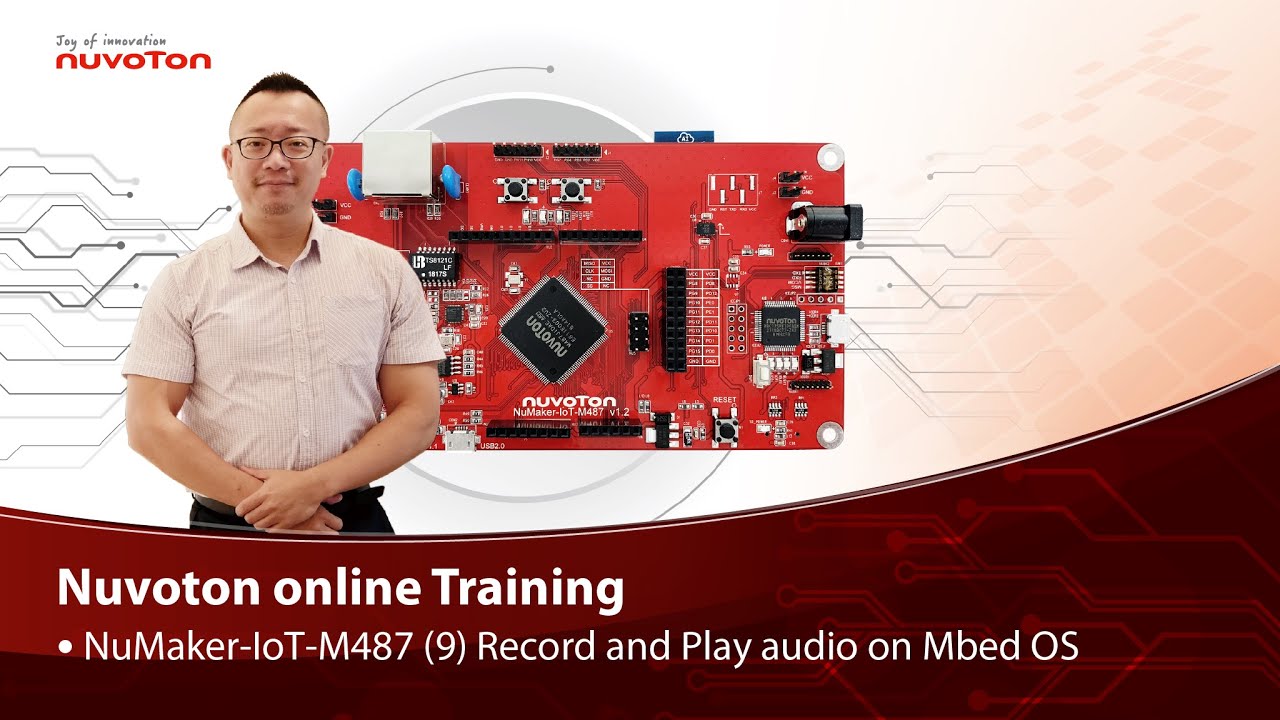
Hello everyone, I am Morgan, the principal engineer of Nuvoton Technology. Today, I will show you how to record and play audio with Mbed OS on NuMaker-IoT-M487 development board.
Open Chrome browser, and enter the URL https://ide.mbed.com to use the Mbed Online Compiler.
After log in, make sure that NuMaker-IoT-M487 board already selected in the upper right corner. If not, please refer Nuvoton IoT Tutorial series “Get Started with Mbed OS” which has a detailed description of how to add a board.
Click the “New” on the left of menu bar, a “Create new program” window will be displayed.
You can see that the Platform has been set to NuMaker-IoT-M487. In the Template, select the "NuMaker audio playback" for this tutorial. Then click OK.
Now you can see that the sample code has loaded on the page.
The sample code has three functions:
1. Record 10 seconds sound and save to Micro SD card
2. Play sounds stored in Micro SD card
3. Loopback. Record sound and play it immediately.
Click main.cpp to open it. Then scroll down to line 421. You can see the functions calls here. It set to loopback only.
Let’s do a little modification. Hit a key on console to start record 10 seconds then play it, and then do loopback.
printf("Press a key to start recording 10 seconds...");
getchar();
demo_record();
demo_play();
demo_loopback();
Save it and click “Compile” to build the code.
Compilation takes a while, please wait.
After the compilation is completed, “Success” will appear in the compile output window.
The browser downloads the binary firmware file directly after a successful compiling. It will be saved in a default download folder. In Chrome, you can click download file and select “Show in folder”.
Please plug an earphone commonly used for mobile phone in headphone jack on NuMaker-IoT-M487 board. For demonstration, we use a headphone splitter cable to connect a microphone and a speaker. Do not put the microphone and speaker too close to avoid feedback howling. Then connect the USB port to your computer and make sure the onboard LED lights up.
Back to the folder you just download the binary firmware file (NuMaker-mbed-AudioPlayback-example.NUMAKER_IOT_M487.bin). Drag and drop the file to NuMicro MCU drive.
You will see the copying progress dialog box.
Please find the virtual COM port assigned for NuMaker-IoT-M487 in Device Manager. In the demonstration, the “Nu-Link Virtual Com Port” is COMx.
Then use your favorite terminal tool. Here we use Putty. Open the COMx port with 9600 baud rate.
And no flow control settings. Then “Open” it.
Press “Reset” on board to run the firmware again.
Press a key on terminal to start record.
Speak for about 10 seconds, then your voice will be played.
That’s all for this tutorial. Thank you for watching.
Welcome to subscribe to our channel.
If you want to get more information, please contact us “SalesSupport@nuvoton.com”
-
For more information, please visit Nuvoton Technology Website: https://bit.ly/3hVdcmC
Buy now: https://direct.nuvoton.com/tw/numaker-iot-m487
Contact us: SalesSupport@nuvoton.com
#tool #training #learning #intermediate #en